Mentor request website flow for a local school
UX Design
This is the second project that was created as part of the Google UX Design Professional Certification Program. The program includes the fundamentals of UX design, conduct user research, and design prototypes. I completed this project over the course of 1 month and continue to improve my knowledge and learn more about UX design.
Overview
During my research, I found that many local schools do not have online mentoring classes. Because of that, it was very difficult to find competing websites, in fact, they mostly provided the scheduling of some extra classes at school. Indirect competitors are websites that provide online teachers but they are not local school teachers. With all of the above in mind and during conversations with study participants, they expressed a strong desire for the opportunity to schedule their local school teacher for some additional classes.
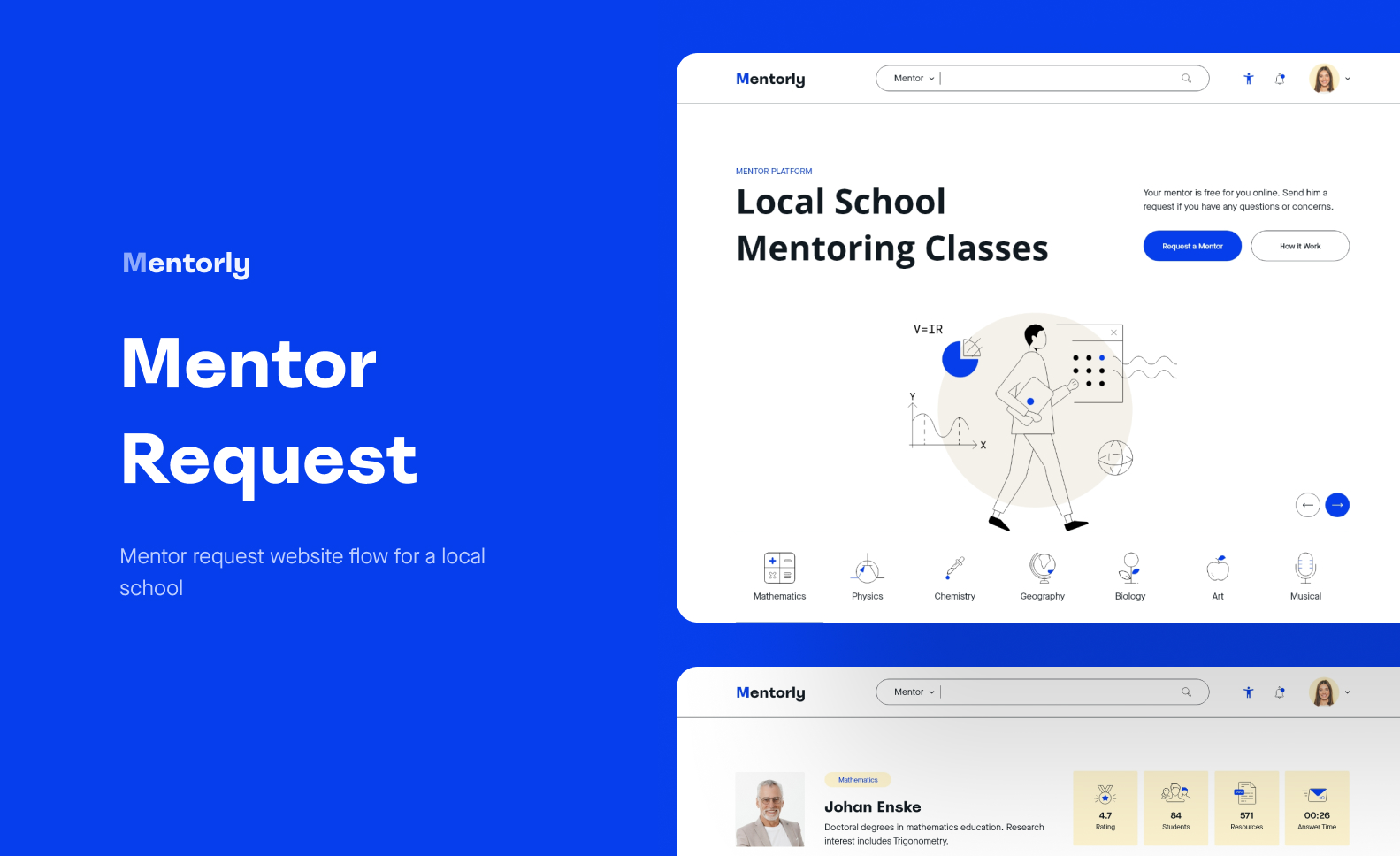
The Mentorly website I designed is a mentor request website flow for a local school. It provides the option for the student to request the mentor now if he is available, then allows the student to choose the type of class (video or text form), scheduling one or two classes per term, resources, and more.
My role: UX designer designing a mentor request website flow for a local school from conception to delivery.
The goal: Design a website that allows users to request the local school mentor online in a quick way in a form of class that suits them.
Understanding the user
Empathize and understanding the users, define the problem statements, hypothesis statements, and value propositions is one of the major things. For this project the target audience is elementary and high school students, who used to schedule extra classes or not.
The key challenge is to determine their experience with scheduling extra classes either at school or online and what their needs are. After that, designing the website in accordance with user needs to improve their experience.
Persona
User journey map
Initial design concept
Based on the empathize and define phase I start with ideation phase.
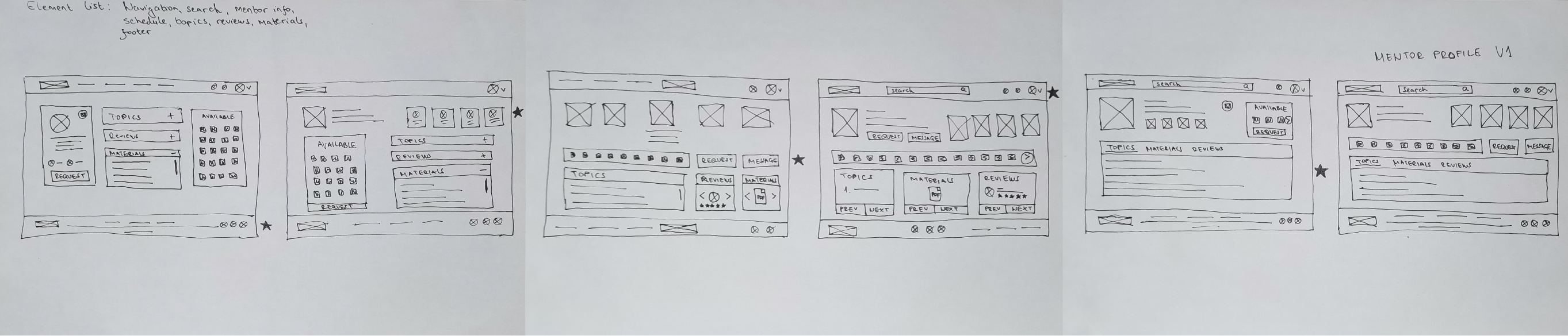
After the competitive audit, crazy 8, goal statement, etc. I start sketches and paper wireframes first for the Mentor Profile page where the request flow is starting. I sketched 5 potential solutions and then I took from the sketched solutions the sections (star) that I thought would best fit into the final solution.
Peper wireframe
Digital Wireframe & Prototype
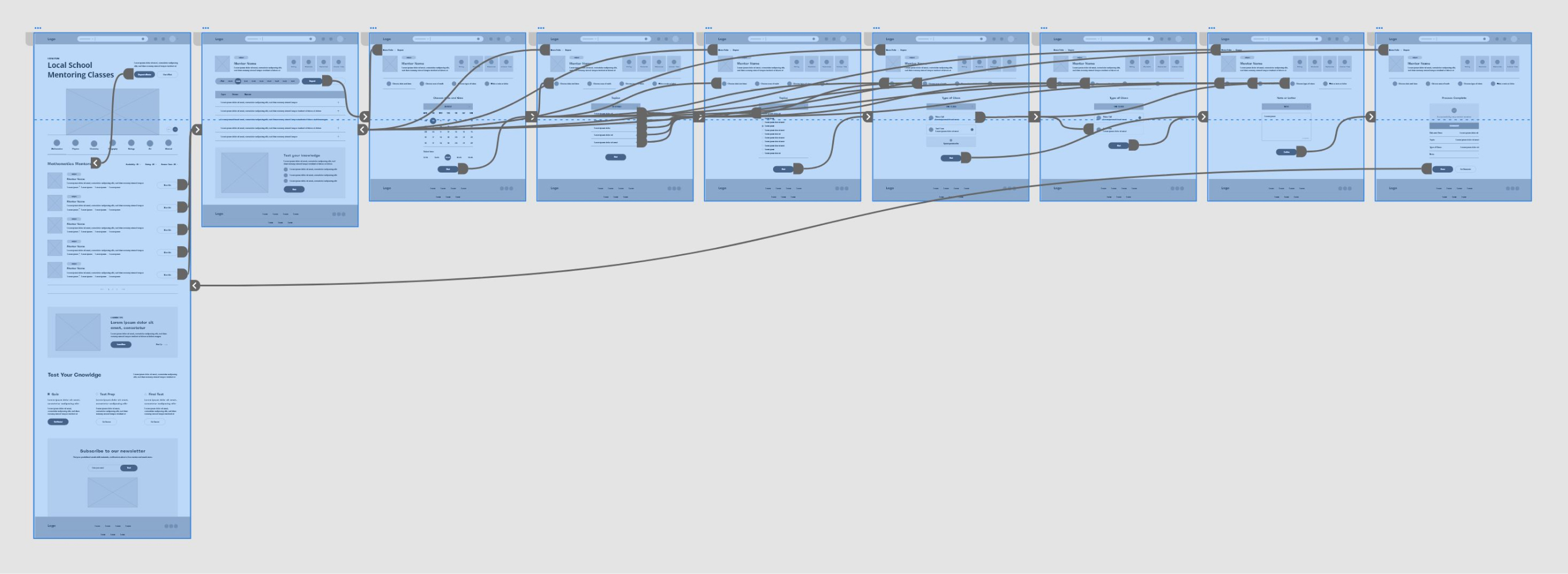
The next step is the digital wireframe. I transferred the idea to digital form, that is, I created a digital wireframe and a prototype. Considering that, study planning and prototype testing by participants began.
Research
I spent half the duration of this project interviewing people as well as doing some research on competitors. Here is a research study details:
Methodology
● Unmoderated usability study
● Location: Europe, remote
● Date: Session will take place on August 9th
● Five participants (3 Male, 2 Female aged 9 to 18), each
completing the study on their own.
All participants were selected to request a mentor through
the website flow for local school mentors. Each participant
completes a questionnaire on their experience privately.
● Each session will last 30-60 minutes and will include an
introduction, a short questionnaire, and a list of tasks.
Basic Questions
● Have you ever taken extra classes independently from school?
● Why did you or not take extra classes?
● What was your experience with a mentor who taught you extra
classes?
● Which way do you prefer to schedule extra classes?
● What is your experience when scheduling a class?
● Is choosing a mentor important for your extra classes?
● Does the date and time of class important to you?
User testing results
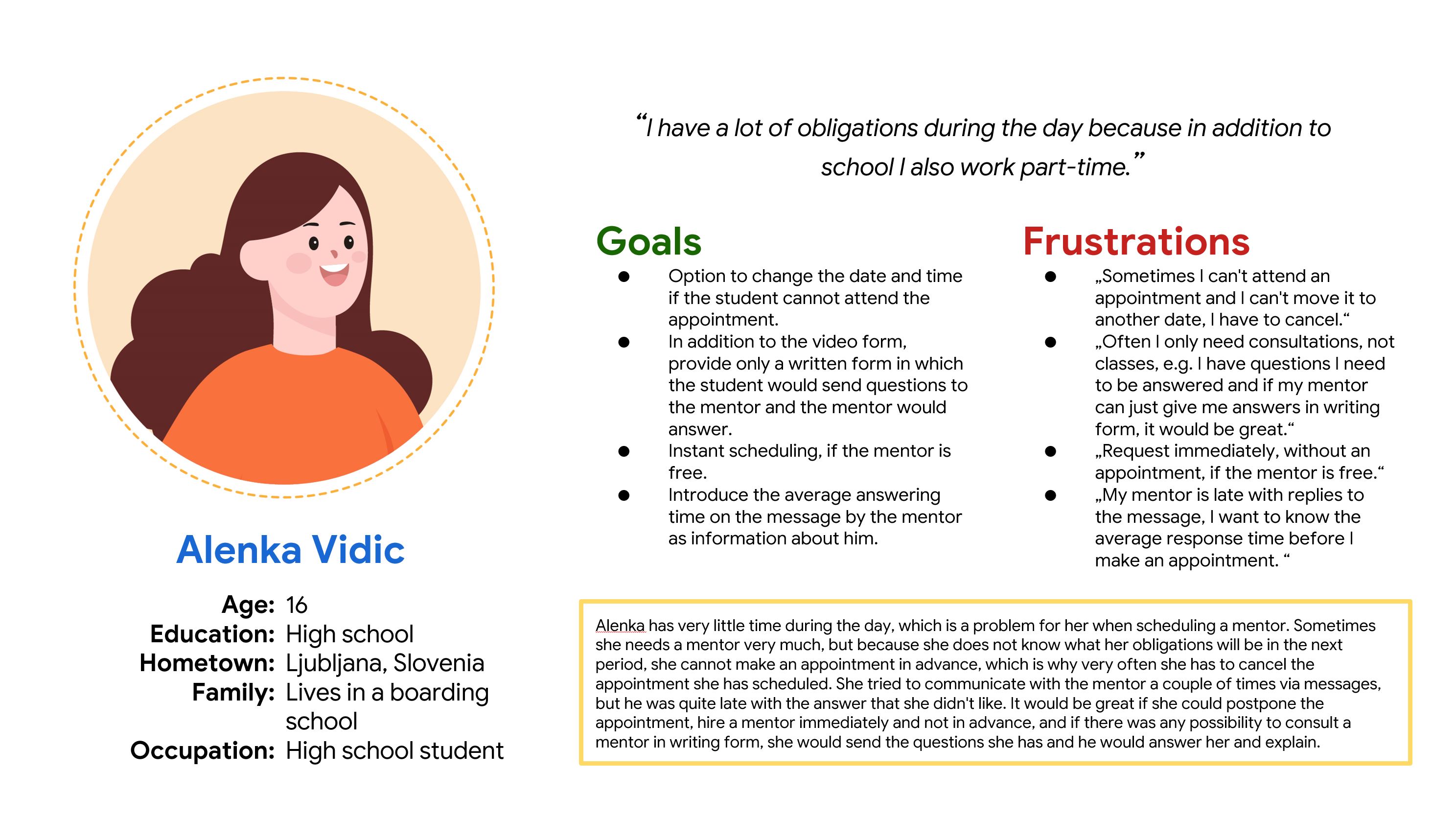
The specific group of users identified by the survey was high school students who have part-time jobs. This group of users has a lot of responsibilities and they change depending on school classes and work. It is very important for them to get an appointment and help from a mentor as soon as possible, preferably when they are free. Other problems that have arisen are the forms of classes, some would like to have the possibility of classes in text form, i.e. that they send a document with questions to the mentor and he answers them. It is also important to emphasize that it would be very important for them to be able to hire a mentor from their school because they often do not have a positive experience with other mentors.
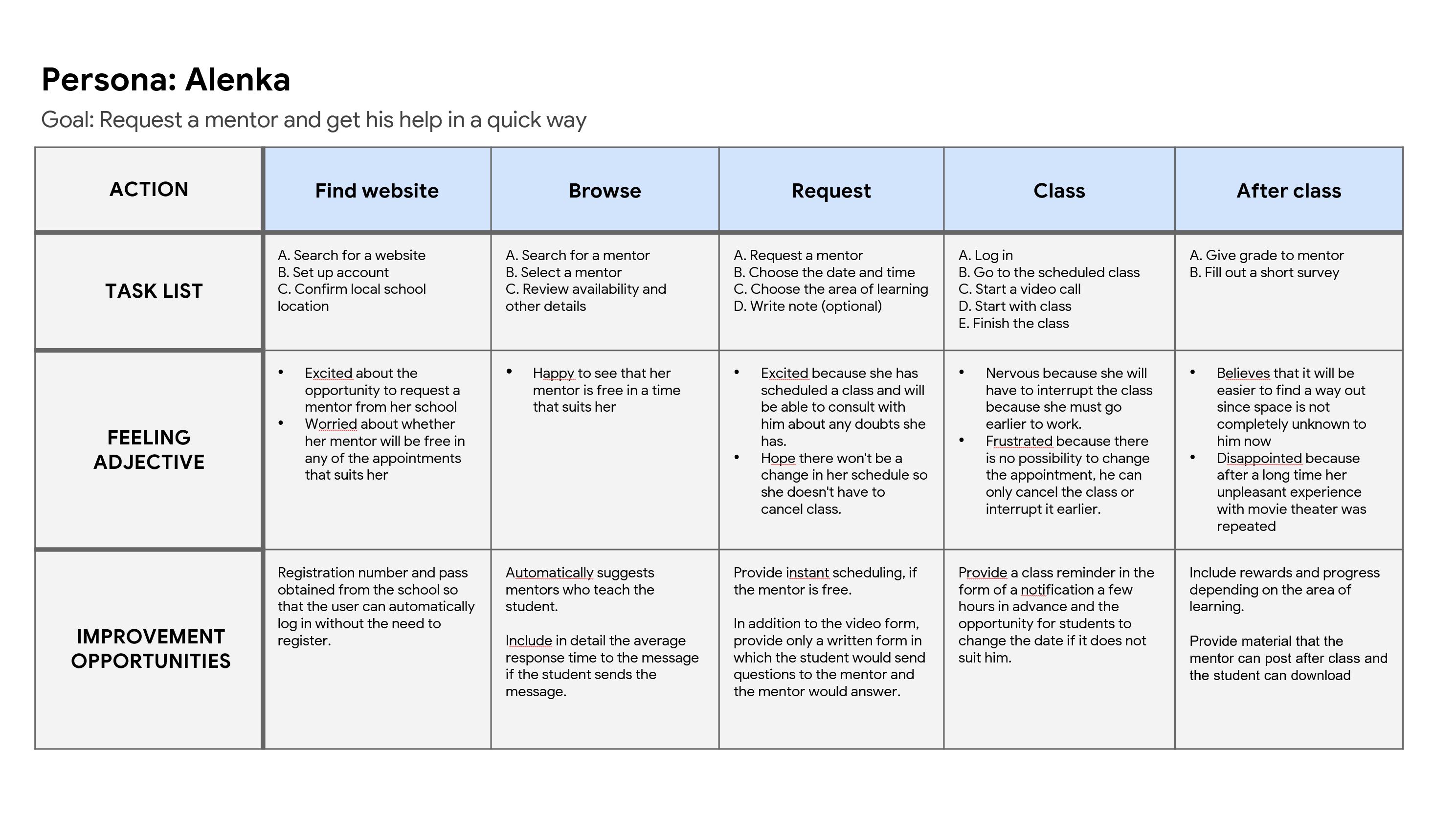
From the study and prototype testing by participants, I analyzed and synthesized the results, identifying patterns, themes, and I was able to identify pain points and define the insights they are as follows:
P0
Long-term scheduling
Users need the option to schedule a mentor long-term, not just one-time.
P1
Online now mentors
Users need to see which mentor is now available from the list instead of visiting each mentor profile for this info.
P2
Confusion about labels on the mentor list
Users need a clearer separation of mentors in the list on the home page to avoid confusion about labels.
Mockup
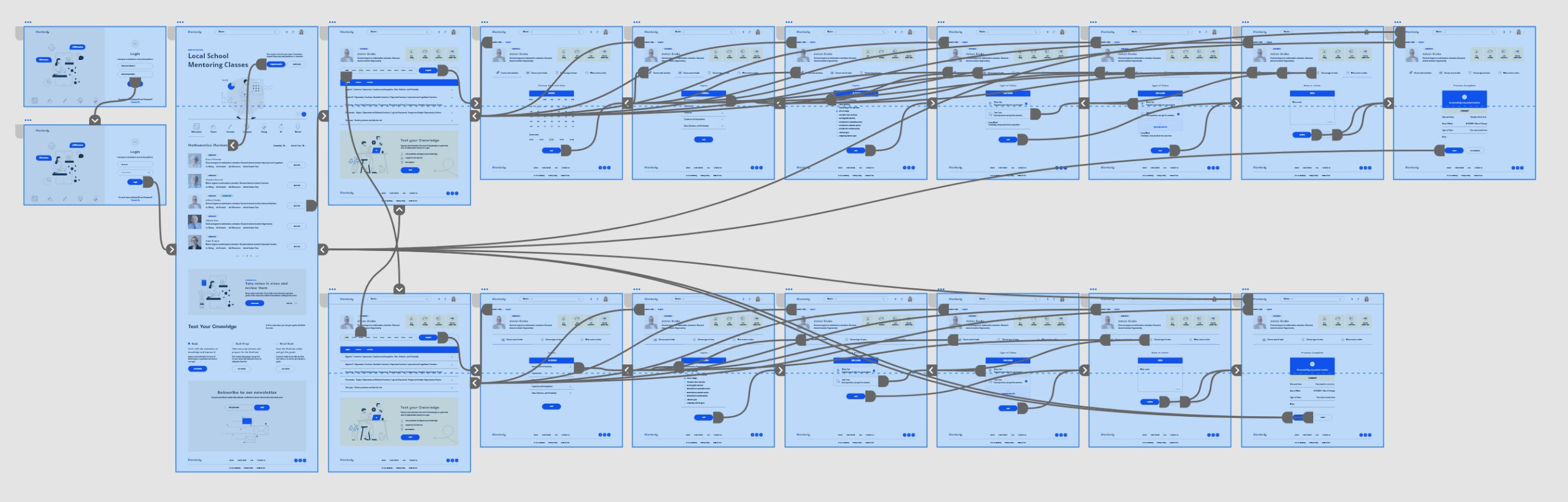
Based on the insight, wireframe is updated and finally, a high-fidelity design and mockup were created.
Next Steps
I would expand the website, create additional pages related to user profiles, quizzes, tests, rewards, and the similar. After that, prototype upgrades to enable users to try out all the features offered by the website and at the end one more round of usability study. As I mentioned in the introduction, I learned an incredible amount about UX design and especially about Adobe XD in this project.